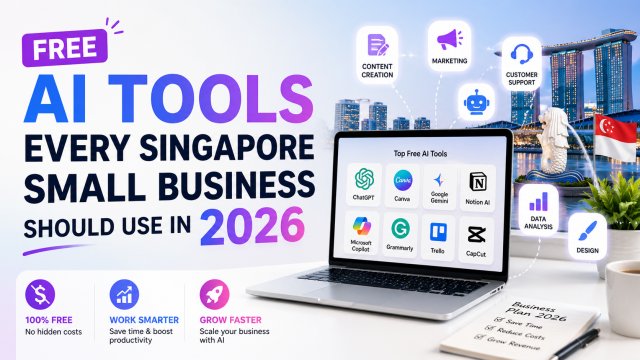
Free AI Tools Every Singapore Small Business Should Use in 2026

Free AI Tools Every Singapore Small Business Should Use in 2026

Why SG Small Businesses Can't Afford to Ignore AI in 2026

Let's be honest: 2025 was the year AI stopped being a "nice to have" for small businesses in Singapore and became a "need to have." Consider this: by early 2026, over 65% of SG SMEs reported using at least one AI tool in their daily operations, according to IMDA's annual digital adoption survey. The businesses that adopted AI early are seeing 20-40% efficiency gains in content creation, customer service, and marketing β€” while businesses that delayed are struggling to keep up with competitors who can produce 10x the content in half the time.

The landscape for Singapore SMEs is uniquely challenging. You're competing in one of the most digitally-saturated markets in the world, where consumers expect fast, personalised service and polished online presence β€” whether you're a hawker stall with a 3-person team or a boutique consultancy with 20 staff. Landlords are raising rents, the GST is at 9%, and manpower costs are among the highest in Southeast Asia. AI isn't a luxury β€” it's a survival tool.

The good news? You don't need a tech degree or a big budget. The most powerful AI tools available today are either completely free or have generous free tiers that small businesses can use indefinitely. Tools that 5 years ago would have cost thousands of dollars in software licenses are now available for the price of an internet connection.

This guide covers the best free AI tools across four critical business areas β€” writing, design, marketing, and operations β€” all tested and vetted for Singapore's small business context. We'll include real examples from SG SMEs, references to local programmes like SkillsFuture and IMDA grants, and a practical 30-day adoption plan so you can start using AI tomorrow.

Let's dive in.

Free AI Writing Tools: ChatGPT, Claude, and Gemini

ChatGPT (Free Tier) β€” Your All-Round Business Assistant

ChatGPT's free tier (powered by GPT-5.4 mini in 2026) remains the most accessible AI writing tool for Singapore SMEs. While the free version has usage limits, it's more than enough for daily business writing tasks. Use it to draft customer emails, write product descriptions for your Shopee or Lazada listings, generate social media captions, create simple contracts, and brainstorm marketing angles.

Real SG use case: A noodle stall in Toa Payoh uses ChatGPT free tier to write their daily Facebook posts. They describe their dish of the day in Singlish, and ChatGPT converts it into professional marketing copy with proper English grammar β€” ready to post. Estimated time saved: 30 minutes per day on social media alone.

Pro tip for Singapore context: ChatGPT handles Singlish surprisingly well. You can say "Write a Facebook post about our new laksa promo, make it sound like an auntie chatting" and it will produce authentic, local-sounding copy. Always mention "Singapore" or "SG" in your prompts for locally relevant output.

Claude (Free Tier) β€” Best for Long Documents and Analysis

Claude's free tier (Sonnet 4.6) has a massive context window (200K tokens) and is particularly strong at analysing and summarising long documents. For small business owners, this means you can paste an entire government tender document, a lease agreement, or a supplier contract and ask Claude to summarise the key points, flag potential issues, or extract specific information.

Real SG use case: A boutique F&B owner in Kampong Glam uses Claude free tier to review supplier contracts for their ingredient sourcing. They upload the PDF (Claude reads PDFs directly) and ask "What are the auto-renewal terms and any price escalation clauses?" β€” getting a clear summary in seconds instead of reading through 15 pages of legalese.

Pro tip: Claude excels at structured analysis. Ask it to "extract action items from this meeting transcript" or "create a table comparing these three supplier quotes" for spreadsheet-ready output.

Gemini (Google) β€” Deep Google Integration

Gemini 2.5's free tier connects directly to Google Workspace (Gmail, Docs, Sheets) and has a 1M+ token context window β€” meaning it can process entire email threads or massive documents in one go. For SMEs using Google Workspace (sg. Google accounts), Gemini can write emails in Gmail, generate spreadsheet formulas in Sheets, and draft documents in Docs without switching between tools.

Real SG use case: A home-based beauty business in Yishun uses Gemini to draft replies to customer enquiries on Google Business Profile. They prompt: "Write a polite reply to this customer asking about pricing, mention we accept PayNow and have 5-star reviews" β€” Gemini handles the rest.

Pro tip: Gemini can access your Google Business Profile data, so use it to analyse customer reviews and identify common complaints or praises. Ask "Summarise the top 5 recurring feedback themes from my last 50 reviews."

Which One to Choose?

TaskBest Free ToolWhy
Quick social media postsChatGPTFast, handles Singlish, good for short content
Contract/lease reviewClaude200K context, excellent analysis
Google Workspace tasksGeminiDirect integration with Gmail, Docs, Sheets
Product descriptionsChatGPTBest for e-commerce copy
Research & reportsClaudeSuperior summarisation and structure

Free AI Image & Design Tools: Canva AI, Microsoft Designer, and Adobe Express

You don't need to hire a graphic designer for every social media post, flyer, or product image. These free AI design tools let small business owners create professional-quality visuals in minutes.

Canva AI β€” The All-in-One Design Powerhouse

Canva's free tier is generous: thousands of templates, Magic Studio AI features, and 5GB of cloud storage. The AI features include Magic Design (generate complete designs from a description), Magic Eraser (remove unwanted objects from photos), Magic Edit (replace or transform image elements), and AI background removal. For Singapore SMEs, Canva's library includes local templates for Hari Raya, CNY, Deepavali, and National Day promotions.

Real SG use case: A Tuition Centre in Bishan creates weekly social media posts advertising their P6 Science and PSLE revision classes. Using Canva AI, they describe "A blue and yellow design with a stressed student becoming happy after tuition" and get 5 design variations to choose from. They can generate a month's worth of posts in under an hour.

Pro tip: Use Canva's Brand Kit (free) to store your business colours, fonts, and logo. All AI-generated designs will automatically match your brand identity. For SG businesses, include "minimalist" or "clean" in your AI prompts β€” these produce designs that work well on Instagram and Facebook.

Microsoft Designer β€” Best for Microsoft 365 Users

Microsoft Designer is powered by DALL-E 3 and integrates natively with Microsoft 365 (Word, PowerPoint, Teams). The free tier gives you 15 AI image generations per day and access to thousands of templates. It's particularly useful for creating presentation slides, Word document headers, and Teams backgrounds.

Real SG use case: A small accounting firm in Tanjong Pagar uses Microsoft Designer to create pitch deck graphics for their quarterly client presentations. They describe "a professional slide background showing Singapore skyline with financial charts overlay" and generate it directly in PowerPoint. No graphic design skills needed.

Pro tip: Designer's "Generative Fill" lets you select any part of an image and describe what should replace it. Use this to swap generic stock photo backgrounds for Singapore-specific scenes (e.g., "change the skyline to Marina Bay").

Adobe Express β€” Professional-Grade from the Design Leader

Adobe Express free tier includes Firefly AI image generation, PDF editing, video creation, and thousands of premium templates. The AI features are integrated into a simple drag-and-drop interface β€” much easier than full Photoshop but more powerful than basic tools. The free tier gives you 25 generative credits per month plus unlimited basic editing features.

Real SG use case: A freelance interior designer uses Adobe Express to create mood boards for client presentations. They upload photos of the actual HDB flat and use Firefly AI to generate "a Scandinavian-style living room with the same floor plan" β€” creating visual concepts without expensive 3D rendering software.

Pro tip: Adobe Express can remove video backgrounds for free, which is useful for creating product demonstration reels. Use the Schedule feature (free) to plan and auto-post content across social media channels.

Free AI Marketing Tools: Buffer, Mailchimp, and Google My Business AI

Marketing doesn't have to drain your budget. These free AI-powered tools help Singapore SMEs attract customers, nurture leads, and measure performance β€” without spending a cent on software.

Buffer AI β€” Smart Social Media Scheduling

Buffer's free plan covers up to 3 social channels (Instagram, Facebook, TikTok, LinkedIn, X/Twitter) and 30 scheduled posts per channel. The AI features include: AI post generation (describe what you want to promote and Buffer writes the caption), optimal posting time suggestions based on audience engagement patterns, and content idea generation based on your industry.

Real SG use case: A pet grooming salon in Katong uses Buffer to schedule 3 weekly posts across Instagram, Facebook, and TikTok. They tell Buffer's AI "Share a before-and-after of a poodle groom, mention our Katong location and we accept PayNow/PayLah" and it generates platform-specific captions. One prompt creates posts for all three platforms.

Pro tip: Buffer's AI suggests posting times based on when your specific audience is online β€” not generic recommendations. For SG businesses serving working adults, optimal times are usually 12-1pm (lunch break) and 8-10pm (after dinner). Enable this in Buffer settings.

Mailchimp Free Tier β€” AI-Powered Email Marketing

Mailchimp's free plan includes up to 500 contacts, 1,000 sends per month, and full access to their AI writing assistant (generates email subject lines and body copy from a brief description). The free tier also includes signup forms, basic segmentation (tag customers by purchase history), and performance analytics with AI-powered recommendations.

Real SG use case: A neighbourhood bakery in Jalan Besar sends a weekly email newsletter announcing new menu items and promotions. Mailchimp's AI writes the subject line and email body from their description "New kaya croissant flavour launching this Thursday, 20% off for first 50 customers who quote CROISSANT2026." The pre-built SG-compatible templates include SingPass-style clean design themes.

Pro tip: Mailchimp's free AI A/B testing lets you test 2 subject lines on a small sample of your list before sending the winning version to everyone. Use this to test "local" vs "English-only" subject lines for your SG audience β€” you might be surprised which performs better.

Google My Business AI β€” Local SEO on Autopilot

Google My Business (GMB) has integrated Gemini AI features in 2026 that every SG SME should use. The AI can automatically respond to customer reviews (you approve the drafts), generate Google Posts (Google's native social feed within search results), suggest photo uploads from detecting popular angles, and provide AI-generated insights about what customers are searching for.

Real SG use case: A clinic in Novena uses GMB AI to auto-respond to patient reviews. When a patient leaves a 5-star review saying "Dr Tan was very thorough," GMB AI drafts a response: "Thank you for your kind feedback! We're glad Dr Tan provided you with thorough care. Wishing you good health β€” The [Clinic Name] Team." The clinic manager reviews and clicks Approve in 10 seconds.

Pro tip: GMB AI also analyses your competitors' GMB profiles and suggests improvements to your own listing β€” like adding specific services, updating hours, or posting about seasonal trends. Check the "Insights" tab weekly for these AI recommendations.

Getting Started: A 30-Day AI Adoption Plan for SG SMEs

Knowing about AI tools is one thing β€” actually integrating them into your daily operations is another. Here's a step-by-step 30-day adoption plan designed specifically for busy Singapore small business owners.

Week 1: Foundation (Days 1-7)

Day 1: Create accounts for ChatGPT (free), Claude (free), and Canva (free). Take 30 minutes to explore each interface.

Day 2-3: Use ChatGPT to write 3 customer emails (one enquiry response, one complaint reply, one promotional blast). Don't worry about perfect prompts β€” just experiment.

Day 4: Log into Canva, find your industry template (F&B, retail, services), and use Magic Design to create one social media post with "Singapore" in the prompt.

Day 5: Use Claude to analyse one business document (your current menu, price list, or service brochure). Ask "What could I improve?" β€” you'll get surprisingly actionable feedback.

Day 6-7: Set up your free Buffer account and connect 3 social media channels. Schedule your first 3 posts (the ones you created earlier). Install the Google My Business app and enable AI review responses.

Week 2: Content Creation (Days 8-14)

Day 8-9: Batch-create one week of social media content using ChatGPT (writing) + Canva AI (design). Aim for 5-7 posts. Include at least 2 local references (e.g., "As seen in our Toa Payoh outlet" or "Celebrating Singapore's hawker culture").

Day 10: Create your first email campaign in Mailchimp free tier. Use AI subject line generator. Target your existing customer list (import up to 500 contacts).

Day 11-12: Run your first GMB AI Q&A β€” ask the AI to suggest 5 Google Posts based on your recent business activity. Schedule them.

Day 13-14: Analyse what got engagement. Use Buffer analytics and GMB Insights to see which AI-generated content performed best. Adjust your approach.

Week 3: Marketing & Outreach (Days 15-21)

Day 15-16: Create a simple customer persona in ChatGPT: "Based on my business [describe your business], describe my ideal customer in Singapore β€” demographics, pain points, online behaviour. Suggest 5 marketing angles."

Day 17: Use Claude to analyse your top 3 competitors' social media (paste links). Ask "What content themes are they using that we're not?"

Day 18: Set up Mailchimp automation: "Welcome email" for new subscribers (AI-written). Use your brand voice from Week 1.

Day 19-20: Create a simple promotional video using Canva Video or Adobe Express (free video features). 15-30 seconds, showcasing your product or service.

Day 21: Review week 3 results. What AI-written content got the best response? Double down on those formats.

Week 4: Optimisation & Systems (Days 22-30)

Day 22-23: Create AI prompt templates for recurring tasks. Save them in a Google Doc. Examples: "Write a Facebook post about [product] using Singapore colloquial language" or "Summarise this customer feedback and suggest 3 improvements."

Day 24: Use Gemini to analyse your Google Business Profile data. Ask "What are my top 5 most common customer complaints and what solutions do competitors offer?"

Day 25-26: Explore IMDA's SME Digital Tech Hub (imda.gov.sg/sme-digital-tech). Check for co-funding opportunities β€” you may qualify for up to 50% subsidy on AI software subscriptions through IMDA's Digital for SMEs programme. SkillsFuture credits can also be used for AI literacy courses.

Day 27-28: Automate one repeatable task. For example: set up Buffer to auto-publish AI-generated posts, or set Mailchimp to auto-send welcome sequences. Every hour you save is an hour you can spend on higher-value work.

Day 29: Create a simple dashboard tracking: time spent on content creation (before AI vs after AI), social media engagement trends, and customer response times.

Day 30: Celebrate your first month! Review your AI adoption journey. What worked? What didn't? Update your prompt templates accordingly. Your business is now AI-enabled β€” and you haven't spent a single dollar on software.

Bonus: Free SG-Specific Resources

  • SkillsFuture Credit (skillsfuture.gov.sg): Every Singaporean aged 25+ receives an initial S$4,000 SkillsFuture Credit. Use it for AI literacy courses on the MySkillsFuture portal. Courses like "AI for Business Operations" and "Getting Started with Generative AI" are eligible.
  • IMDA Digital for SMEs (imda.gov.sg/digital-for-smes): Co-funding for digital solutions including AI tools. Up to 50% subsidy for pre-approved AI solutions. Check their "CTO-as-a-Service" programme for free tech consultation.
  • Enterprise Singapore (enterprisesg.gov.sg): The Enterprise Development Grant (EDG) covers up to 70% of costs for AI adoption projects including consultancy and software procurement for qualifying SMEs.
  • Singapore Digital (sgdigital.gov.sg): Free digital skills workshops including AI basics, run by SG Digital community clubs. Check your nearest community centre for schedules.
  • SME Centre (goto.gov.sg/smecentre): Free business advisory services including digitalisation consultations. They can help you create an AI adoption roadmap tailored to your industry.

The best time to start using AI was last year. The second best time is today. SG SMEs that adopt AI now will be the ones thriving in 2027 and beyond β€” when AI becomes as standard as having a website or accepting PayNow.

← Back to Blog

πŸ“– Related Articles

🦞
How to Deploy OpenClaw β€” Step by Step Guide
2026-05-01
🧩
Top 10 Must-Install OpenClaw Skills in 2026
2026-05-01
🎬
How Singapore Creators Use ChatGPT to Write 30 TikTok Scripts in 1 Hour
2026-04-28
πŸ“Έ
AI Product Photography for Shopee Sellers: Complete SG Guide
2026-04-25