
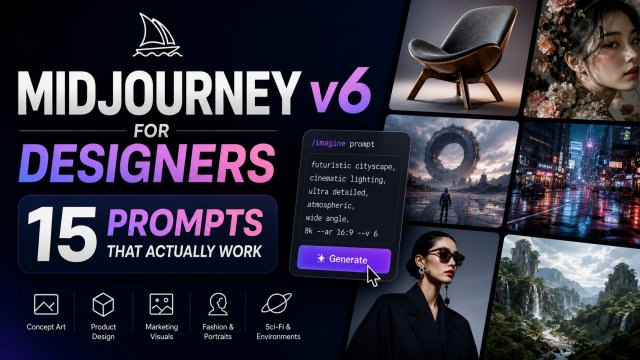
Midjourney v6 for Designers: 15 Prompts That Actually Work

Midjourney v6 for Designers: 15 Prompts That Actually Work

What's New in Midjourney v6

Released in late 2025, Midjourney v6 represents a massive leap forward in AI image generation. The upgrade brought three game-changing improvements that designers have been waiting for.

Better prompt adherence. V6 finally understands complex, multi-part prompts reliably. Where V5 would often drop details or misinterpret relationships between objects, V6 follows instructions with surprising precision. Designers can now specify "a red ceramic mug on a wooden table next to a green plant" and get exactly that β€” every time.

Text rendering. This is the feature that makes V6 a serious design tool. Midjourney V6 can render readable text within images β€” logos, signs, posters, and typography. While it's not perfect for long paragraphs, short text in banners, labels, and headlines is crisp and accurate enough for client presentations.

Photorealism. The realism in V6 is often indistinguishable from photographs. Skin texture, fabric details, lighting, and reflections have reached a new level. For product designers and visualisers, this means you can create photorealistic mockups without a camera or studio.

For designers in Singapore, Midjourney V6 opens up exciting possibilities β€” from generating hyper-local visual concepts to creating professional branding materials in minutes. Let's dive into the prompts that actually work.

5 Prompts for Singapore-Themed Designs

Singapore's unique visual landscape β€” from hawker centres to futuristic skyscrapers β€” is a goldmine for design inspiration. These prompts capture the essence of Singapore with Midjourney V6's enhanced realism and prompt adherence.

Prompt 1: Hawker Centre at Golden Hour

/imagine prompt: an atmospheric hawker centre in Singapore at golden hour, steam rising from food stalls, colorful signage in Chinese and English, vintage tiles and fluorescent lights, patrons eating at communal tables, cinematic composition, photorealistic, warm amber lighting, shallow depth of field --ar 16:9 --v 6

Perfect for editorial features, travel content, or restaurant branding. The steam and lighting create an authentic local atmosphere.

Prompt 2: MRT Train at Dawn

/imagine prompt: wide shot of an elevated MRT train passing through Singapore's HDB estate at dawn, pastel sky, sleek silver train, lush tropical greenery foreground, wet platform after rain reflection, clean architectural lines, minimalist, architectural photography style --ar 16:9 --v 6 --s 250

Great for urban planning presentations, Singapore tourism content, or modern Asian aesthetics.

Prompt 3: Shophouse Typography

/imagine prompt: detailed close-up of colorful Peranakan shophouse facade in Joo Chiat, Singapore, intricate ceramic tiles, ornate wooden shutters, sign reading "KOPI" in vintage typography, morning sunlight, tropical plants cascading from balcony, rich teal and coral colors, National Geographic style photography --ar 4:3 --v 6

Ideal for branding projects that need a heritage Singapore feel, or for packaging design with local character.

Prompt 4: Gardens by the Bay Supertrees at Night

/imagine prompt: futuristic Supertrees at Gardens by the Bay Singapore at night, bioluminescent glowing canopies, purple and blue LED lighting, mist rising, OCBC Skyway bridge in background, symmetrical composition, sci-fi meets nature, ultra detailed, hyperrealistic, cinematic lighting --ar 16:9 --v 6 --s 400

Stunning for event posters, tech conference materials, or Singapore skyline imagery.

Prompt 5: Marina Bay Sands Panorama

/imagine prompt: panoramic view of Marina Bay Sands and ArtScience Museum from across the bay, Singapore skyline, calm water reflections, dramatic sunset with orange and pink clouds, modern architecture, clean and sharp, postcard quality, ultra wide angle --ar 21:9 --v 6

Perfect for hero images, website banners, or promotional materials showcasing Singapore's modern side.

5 Prompts for Product & Branding Design

Midjourney V6 excels at product visualisation and branding mockups. These prompts help you create polished, client-ready designs in minutes.

Prompt 6: Minimalist Branding Mockup

/imagine prompt: flat lay of a minimalist branding mockup, cream paper stationery set, gold foil business cards with abstract geometric logo, fountain pen, dried eucalyptus, soft natural lighting from the left, elegant, premium, Scandinavian design aesthetic --ar 4:3 --v 6

Use this for brand identity presentations, social media content, or client proposals. The flat lay composition is versatile and stylish.

Prompt 7: Luxury Skincare Product

/imagine prompt: luxury skincare product photography, frosted glass dropper bottle with gold cap, amber serum inside, marble countertop, fresh botanicals arranged artfully, soft diffused studio lighting, clean white background, premium cosmetic advertising style, macro shot --ar 4:5 --v 6

Perfect for e-commerce product shots, beauty brand concepts, or packaging design mockups. The 4:5 aspect ratio is ideal for Instagram.

Prompt 8: Logo Resin Mockup

/imagine prompt: 3D resin logo mockup of a minimalist geometric emblem, translucent glossy material on dark marble surface, soft rim lighting, subtle shadows, luxury brand presentation, high-end corporate identity showcase, studio product shot --ar 1:1 --v 6

Excellent for presenting logo concepts to clients. The 1:1 ratio works perfectly for portfolio presentations.

Prompt 9: Tech Product Hero Shot

/imagine prompt: sleek wireless earbuds charging case on textured dark grey background, subtle blue LED indicator, clean product shot, minimal reflections, Apple-style product photography, soft gradient lighting, sharp focus on product, futuristic, premium --ar 16:9 --v 6

Ideal for tech brand concepts, product launches, or hero images for landing pages.

Prompt 10: Coffee Brand Packaging

/imagine prompt: artisan coffee bag packaging design on kraft paper, beige and terracotta color scheme, minimalist typography, coffee beans scattered around, burlap sack texture background, warm sunlight, rustic aesthetic, specialty coffee brand photography --ar 4:3 --v 6 --s 300

Great for F&B branding projects, packaging design concepts, or cafe identity mockups.

5 Prompts for Creative & Artistic Work

Sometimes you need to push Midjourney beyond commercial design into pure creativity. These prompts explore artistic expression and conceptual design.

Prompt 11: Conceptual Abstract Art

/imagine prompt: fluid abstract art with vibrant swirls of electric blue, magenta, and gold, organic flowing shapes resembling DNA helices, glowing particles suspended in space, digital art, detailed texture, 8k resolution, ethereal atmosphere --ar 16:9 --v 6 --s 600

Perfect for album art, podcast cover art, or creative posters. The higher --s value (600) allows more artistic freedom.

Prompt 12: Surrealist Collage

/imagine prompt: surreal digital collage, a floating island with a classical marble statue in the center, surrounded by tropical flowers, dreamy pastel clouds below, vintage astronomical diagrams in the sky, magical realism, detailed textures, muted color palette --ar 4:5 --v 6

Ideal for artistic prints, editorial illustrations, or conceptual art projects in Singapore's creative scene.

Prompt 13: Neon Noir Cityscape

/imagine prompt: cyberpunk neon noir alley at night in an Asian city, rain-slicked pavement reflecting pink and blue neon signs, solitary figure with umbrella, steam rising from vents, cinematic mood, blade runner aesthetic, dramatic shadows, ultra detailed --ar 16:9 --v 6 --s 350

Stunning for game concept art, music videos, or cyberpunk-themed design projects.

Prompt 14: Mixed Media Portrait

/imagine prompt: portrait of a woman in profile, mixed media style combining watercolor splashes and ink line art, geometric shapes floating around, indigo and coral palette, artistic, expressive, fashion editorial style --ar 3:4 --v 6 --s 500

Excellent for social media content, fashion moodboards, or creative portfolio pieces.

Prompt 15: Fantasy Architecture Concept

/imagine prompt: fantasy architecture concept inspired by Marina Bay, a floating botanical garden in the sky, bioluminescent plants hanging from organic structures, cascading waterfalls, futuristic Singapore skyline visible below, ethereal lighting, concept art, unreal engine 5 render style --ar 16:9 --v 6 --s 450

Perfect for architectural visualisation, game environment design, or pushing creative boundaries in design pitches.

Pro Tips: Parameters, Aspect Ratios, and Styling for Best Results

Getting the most out of Midjourney V6 means mastering its parameters. Here are the essential tips for designers.

Aspect Ratios Matter for Design Briefs

Always specify --ar for consistent composition:

  • 16:9 β€” Hero images, website banners, widescreen presentations
  • 4:3 β€” Print materials, editorial layouts, standard photos
  • 4:5 or 9:16 β€” Instagram posts, vertical social media
  • 21:9 β€” Cinematic banners, ultra-wide panoramas
  • 1:1 β€” Logos, social profile images, square presentations

Stylize Parameter (--s) Control

The --s (stylize) parameter ranges from 0 to 1000:

  • --s 50-150 β€” Low stylization: strict prompt adherence, literal results. Best for product photography and exact briefs.
  • --s 250-400 β€” Medium stylization: balanced creativity. Good for general design work and branding.
  • --s 500-700 β€” High stylization: artistic interpretation. Great for creative concepts and mood exploration.
  • --s 800-1000 β€” Maximum stylization: highly artistic, may deviate from prompt. Use for pure creative work.

Chaos Parameter (--c) for Diversity

Chaos controls how different the 4 generated images are from each other:

  • --c 0 β€” All 4 outputs are very similar. Use when you know exactly what you want.
  • --c 20-40 β€” Moderate variation. Good for exploration with guardrails.
  • --c 80-100 β€” Maximum variation. Best for brainstorming and unexpected results.

Using Reference Images

Midjourney V6 can use image URLs as style references. Add --sref [image-url] to transfer the style of a reference image to your prompt. This is incredibly useful for maintaining brand consistency across multiple generations.

For example, to generate variations of a product shot in the same style:

/imagine prompt: alternative angle of luxury serum bottle --sref [reference-image-url] --ar 4:5 --v 6

Singapore-Specific Tips

  • Midjourney V6 renders Singapore landmarks very well β€” Gardens by the Bay, MBS, and shophouses are consistently accurate.
  • Use "Singapore" or "in Singapore" in your prompt for local context β€” V6 will generate appropriate tropical vegetation, architecture, and atmosphere.
  • For hawker centre prompts, specify "vintage," "fluorescent lighting," or "steam" β€” these trigger the right visual cues.
  • Combine local elements with design contexts: "product photography on a Peranakan tile background" gives unique local flair.

Final Workflow for Designers

Start with low chaos and medium stylize for commercial work. Use higher chaos and stylize for creative exploration. Always specify your aspect ratio. And remember β€” Midjourney V6 is a starting point, not a final product. Use the outputs as concept directions, mood references, or base layers that you refine in your actual design tools.

The best design work with AI happens when you treat Midjourney as a creative partner β€” it generates the raw ideas, and you bring your design expertise to refine, combine, and finish.

← Back to Blog

πŸ“– Related Articles

🦞
How to Deploy OpenClaw β€” Step by Step Guide
2026-05-01
🧩
Top 10 Must-Install OpenClaw Skills in 2026
2026-05-01
🎬
How Singapore Creators Use ChatGPT to Write 30 TikTok Scripts in 1 Hour
2026-04-28
πŸ“Έ
AI Product Photography for Shopee Sellers: Complete SG Guide
2026-04-25