
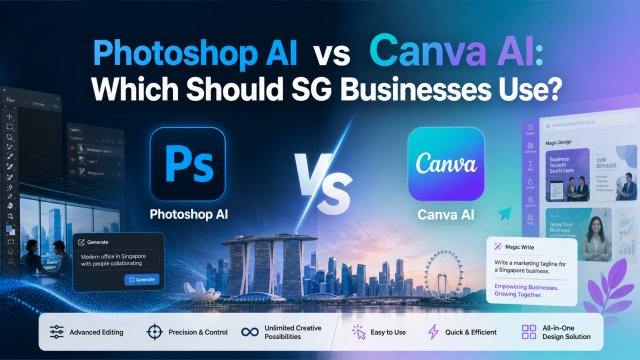
Photoshop AI vs Canva AI: Which Should SG Businesses Use?

Photoshop AI vs Canva AI: Which Should SG Businesses Use?

The Two Giants: Photoshop Firefly vs Canva Magic Studio

In 2026, Adobe Photoshop and Canva are the two most popular design tools for Singapore businesses - and both now have powerful AI features built in. But they serve very different audiences, budgets, and use cases. Choosing the wrong one means either paying for features you do not need, or struggling with a tool that cannot do what you need.

Adobe Photoshop has integrated its Firefly AI engine directly into the workflow. Generative Fill, Generative Expand, and Text-to-Image are now native features. Meanwhile, Canva Magic Studio offers Magic Write, Magic Eraser, Background Remover, and AI-powered design generation within a browser-based beginner-friendly interface. For Singapore businesses, the decision often comes down to professional-grade image manipulation versus rapid template-based design for social media.

Feature Comparison

Generative Fill & Expansion: Photoshop Firefly leads here. Select an area, describe what you want, and it fills it seamlessly. Essential for product photo editing, removing objects, and extending backgrounds. Canva Magic Eraser works for simple removals but lacks Photoshop precision.

Background Removal: Both offer one-click removal. Canva is sufficient for most use cases - product photos, portraits, social media. Photoshop is more precise for complex edges like hair and transparent objects.

Text-to-Image Generation: Photoshop Firefly is trained on Adobe Stock images (commercially safe). Canva uses its own models plus partners. Both generate quality images but Photoshop offers more style and composition control.

Templates: Canva dominates with 600,000+ templates. Photoshop has templates too but not as extensive. For social media content, presentations, and quick graphics, Canva wins easily.

Pricing for Singapore Users (2026)

Photoshop: Creative Cloud Photography Plan at US$23/month (S$31). Includes Photoshop, Lightroom, 20GB storage. Firefly AI included at no extra cost.

Canva Pro: US$13/month (S$17.50). Canva Teams at US$10/person/month. Free tier is very capable for basic needs. AI features included in Pro.

Both are eligible under IMDA Digitalisation Grant for SMEs (up to 50% subsidy). For most SG SMEs, Canva Pro offers better value at nearly half the price. For professional photographers and designers who need full control over layers and masks, Photoshop is essential.

When to Use Which

Use Photoshop when: professional photo retouching and manipulation is needed, product photography requires precise object removal or background extension, print design requires CMYK and high DPI, or you need full control over layers and masks.

Use Canva when: you need social media graphics and marketing collateral fast, your team includes non-designers, you want access to ready-made templates, you need real-time collaboration, or budget is a primary concern.

Best approach for most SG SMEs: Use both. Canva for 80% of daily design needs (social media, presentations, quick graphics). Photoshop for the 20% requiring professional-grade editing (product photos, branding assets, print). Total cost: roughly S$48/month - less than an hour of hiring a freelance designer.

← Back to Blog

πŸ“– Related Articles

🦞
How to Deploy OpenClaw β€” Step by Step Guide
2026-05-01
🧩
Top 10 Must-Install OpenClaw Skills in 2026
2026-05-01
🎬
How Singapore Creators Use ChatGPT to Write 30 TikTok Scripts in 1 Hour
2026-04-28
πŸ“Έ
AI Product Photography for Shopee Sellers: Complete SG Guide
2026-04-25