
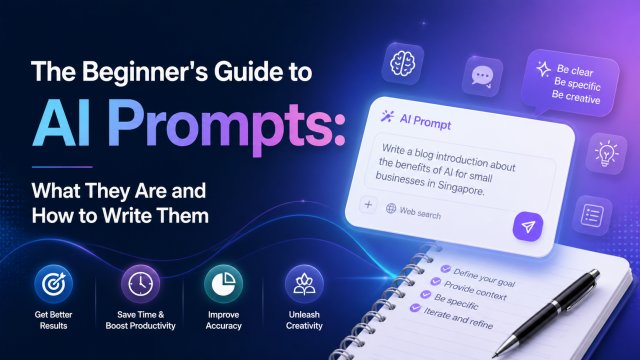
The Beginner's Guide to AI Prompts: What They Are and How to Write Them

The Beginner's Guide to AI Prompts: What They Are and How to Write Them

What Is a Prompt?

A prompt is simply the text you give to an AI model to tell it what you want. Think of it like giving instructions to a very intelligent assistant who needs clear, specific directions. Just as you would not walk up to a chef and say "make food" without specifying the dish, you should not give an AI a vague prompt and expect perfect results.

Prompts can be questions, commands, descriptions, or any combination of text that guides the AI toward your desired output. The quality of the output is directly tied to the quality of the prompt. A well-crafted prompt is the difference between "here is a generic paragraph about marketing" and "here is a Singapore-specific marketing strategy for a new cafe in Tiong Bahru targeting young professionals aged 25-35."

In 2026, prompt engineering has become an essential skill across every industry. From content creators generating TikTok scripts to developers debugging code with Claude, everyone benefits from understanding how to communicate effectively with AI.

The 4 Key Components of a Great Prompt

Every effective prompt contains four key components. Master these, and you will get consistently good results from any AI model.

1. Role / Persona: Tell the AI who it is. "You are a Singapore marketing expert" produces better results than just "write marketing copy." The persona sets the context, tone, and expertise level. Examples: "You are a seasoned copywriter who specialises in e-commerce product descriptions," or "Act as a friendly tutor explaining complex topics to a 12-year-old."

2. Task / Goal: Be crystal clear about what you want. "Write a 300-word LinkedIn post" is better than "write something about AI." Specify format, length, tone, and structure. "Create a list of 5 tips presented as bullet points, each with a one-sentence explanation, in a professional but friendly tone."

3. Context / Background: Give the AI relevant information to work with. "This is for a Singapore audience. Our brand voice is modern and approachable. We sell premium coffee beans sourced from Southeast Asia." The more relevant context you provide, the more tailored the output will be.

4. Constraints / Format: Set boundaries to control the output. "Keep each tip under 50 words. Do not use jargon. Include exactly 3 hashtags at the end. Write in Singapore English with natural Singlish where appropriate." Without constraints, AI tends to produce generic, verbose content.

Using this framework consistently will dramatically improve your AI results, regardless of which model you use β€” ChatGPT, Claude, Gemini, or any other.

Prompt Patterns That Work Every Time

Here are five proven prompt patterns that work across all major AI models in 2026:

Pattern 1: The ICEBERG Framework β€” I (Identity), C (Core hook), E (Emotional trigger), B (Body flow), E (Examples), R (Requirements), G (Goal). Best for content creation. Example: "You are a Singapore TikTok creator making a video about budgeting. Use a numbered hook, reference local costs like kopi at S$3, end with 'follow for more money tips.'"

Pattern 2: Chain-of-Thought β€” Ask the AI to think step by step. "Explain how you would approach this problem, one step at a time, before giving the final answer." This dramatically improves reasoning tasks like math, logic, and planning.

Pattern 3: Few-Shot Prompting β€” Give examples of what you want. "Here are 3 examples of email subject lines I like: [example 1], [example 2], [example 3]. Now write 5 more in the same style about [topic]." The AI learns from the examples and matches the pattern.

Pattern 4: The Persona Trap β€” Define what the AI should NOT do. "Do not use marketing buzzwords. Do not start with 'In today's fast-paced world.' Do not use exclamation marks." Negative constraints are often more powerful than positive ones.

Pattern 5: Iterative Refinement β€” Do not expect perfection on the first try. Use follow-up prompts: "Make it shorter," "Make it more casual," "Add a specific example about Singapore," "Rewrite this for a LinkedIn audience." The best AI users treat prompting as a conversation, not a one-shot command.

Common Prompting Mistakes and How to Fix Them

Mistake 1: Being Too Vague β€” "Write about AI" produces generic content. Fix: "Write a 500-word blog post explaining how Singapore SMEs can use ChatGPT for customer service, with 3 specific tools and pricing in SGD."

Mistake 2: No Persona β€” Results lack voice and expertise. Fix: Always start with "You are [role] with [expertise] targeting [audience]."

Mistake 3: Forgetting Constraints β€” Output is too long, uses wrong format. Fix: Specify length, format, tone, and what to exclude.

Mistake 4: No Context β€” The AI makes incorrect assumptions. Fix: Provide background, audience details, and brand voice guidelines before asking for output.

Mistake 5: Accepting First Results β€” The first output is rarely the best. Fix: Treat prompting as iterative. Ask for revisions, refinements, and alternative versions.

Mistake 6: Using One Model for Everything β€” Each AI model has strengths. ChatGPT excels at creative writing and brainstorming. Claude is better at analysis, reasoning, and long documents. Gemini integrates with Google Workspace. Match the tool to the task.

The most important rule of prompting: if you are not getting good results, the problem is almost always the prompt, not the AI. Refine your prompt, and watch your results transform.

Practical Prompt Templates to Copy

Here are three ready-to-use prompt templates you can copy and adapt immediately:

Template 1: Content Creator

You are a Singapore content creator specialising in [niche]. Write a [type of content] about [topic]. Target audience: [description]. Tone: [casual/professional/humorous]. Length: [word count]. Include: [specific elements]. Exclude: [things to avoid]. Here is my brand voice example: [paste example].

Template 2: Business Analyst

You are a business analyst with expertise in [industry]. Analyse [situation] and provide: 1) Key findings (3 bullet points), 2) Recommendations (3 actionable steps), 3) Expected outcomes. Base your analysis on [context/background]. Prioritise recommendations by impact and effort. Write in clear, jargon-free language.

Template 3: Learning Assistant

You are a patient tutor teaching [subject] to a [level] student. Explain [concept] as if I know nothing about it. Use analogies from everyday life. Check my understanding by asking me 3 questions at the end. If I answer incorrectly, explain why in a different way. Keep explanations under 200 words each.

Copy, paste, customise, and watch your AI results improve immediately.

← Back to Blog

πŸ“– Related Articles

🦞
How to Deploy OpenClaw β€” Step by Step Guide
2026-05-01
🧩
Top 10 Must-Install OpenClaw Skills in 2026
2026-05-01
🎬
How Singapore Creators Use ChatGPT to Write 30 TikTok Scripts in 1 Hour
2026-04-28
πŸ“Έ
AI Product Photography for Shopee Sellers: Complete SG Guide
2026-04-25